How to make your first video with Quick Create in YakVid
Quick Create turns a short brief into a draft storyboard in one step: a hook, the problem, product proof and a call to action, each a scene you can edit. Draft renders are free.
Before you start
- A YakVid account
Plays silently with captions; the narrated version is on its way.
Transcript
Go from a one-line brief to an editable storyboard.
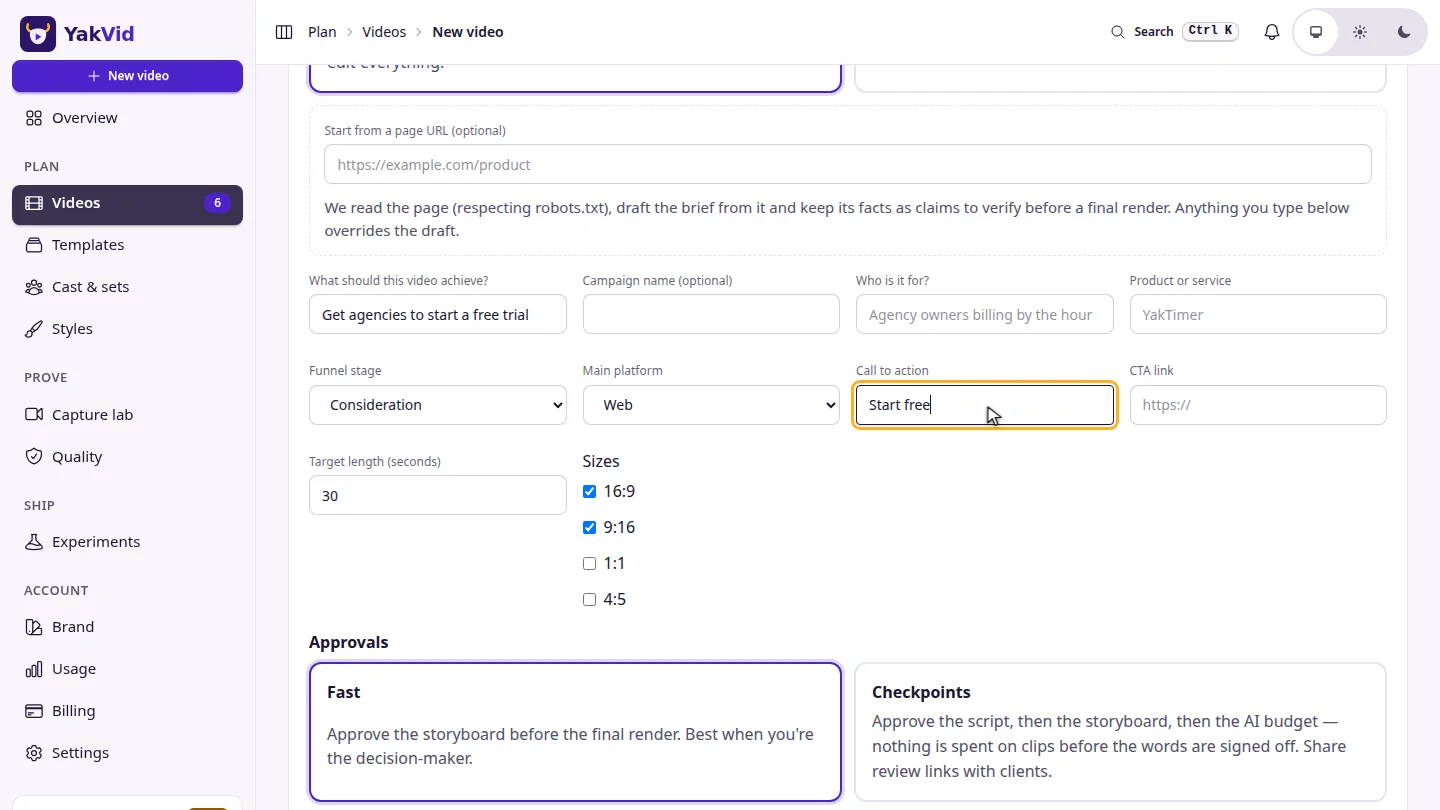
Choose Quick Create, describe what the video should achieve, and add your call to action.
Select Create. YakVid drafts the storyboard and opens the Director.
Steps
Describe the video ▶ 0:05
Select Quick Create, fill in What should this video achieve? and Call to action.
Create the storyboard ▶ 0:11
Select Create. The Director opens with your scenes; select Render draft (free) to preview.
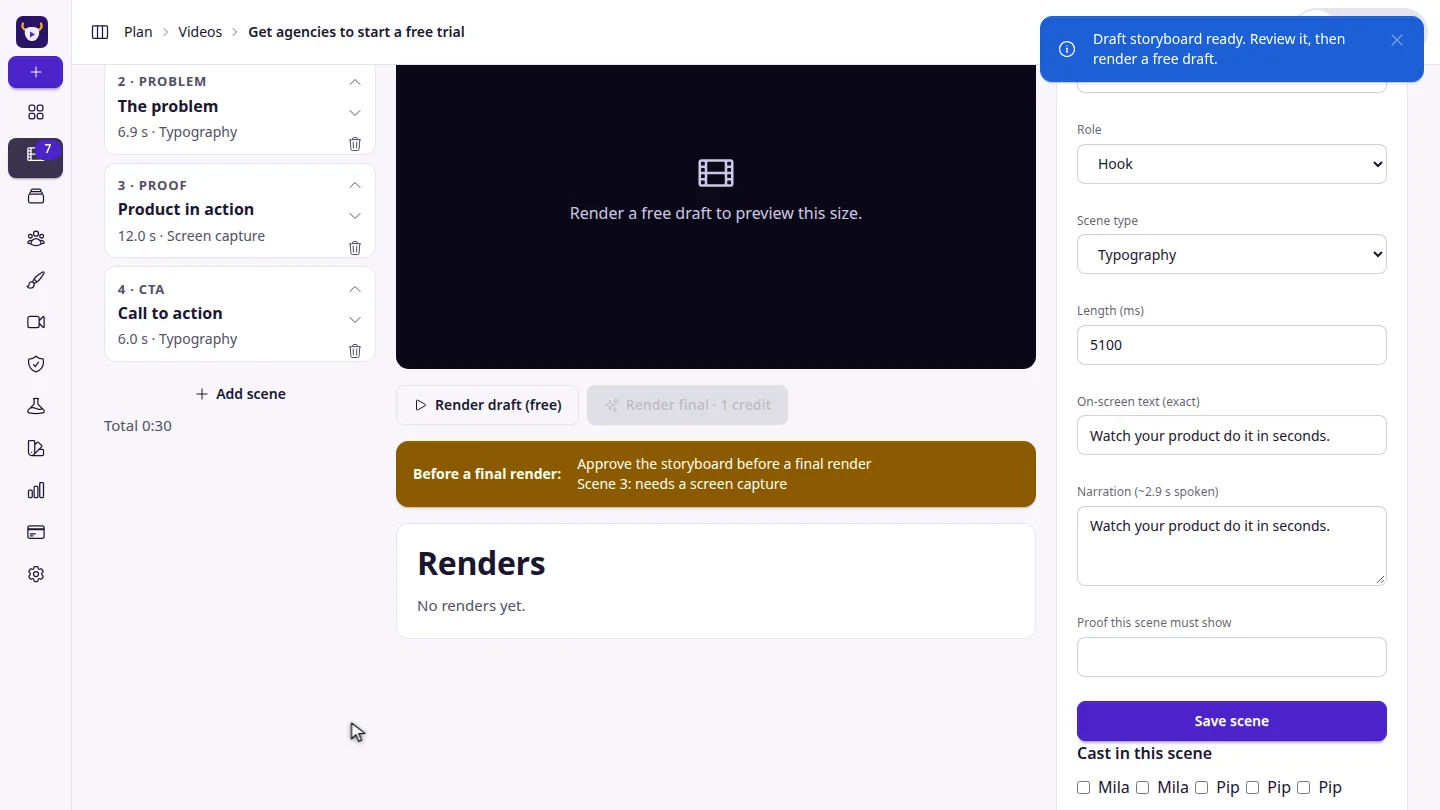
ResultYou land in the Director with a timed storyboard and can render a free draft.
Next steps
Updated 2026-11-06
quick create storyboard brief draft